Icon of program: WindowFX

WindowFX for Windows

  • Trial version
  • 3.2
    42
  • 13.6K
  • V9.5.3

Change The Way Your Windows Operating System Looks And Acts

The WindowFX software allows you to change the way you engage with the Windows operating system. It allows you to customize your user experience by adding a number of features to the user interface. You may make small changes or opt for larger and more extensive user experience changes.

Top Recommended Alternative
Add Custom Animations To Your Windows User Interface

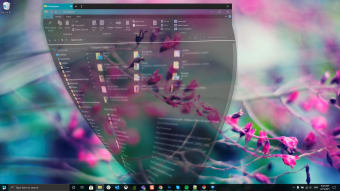
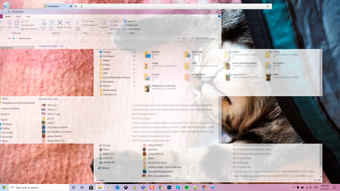
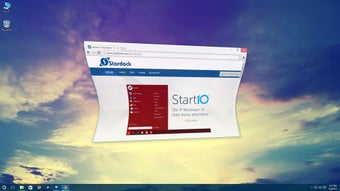
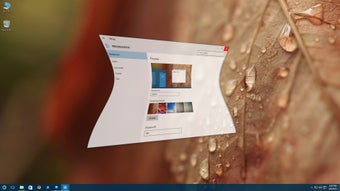
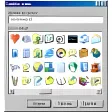
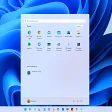
One of the features of WindowFX is the focus mode where you may double click to hide icons or you may darken inactive windows or fade inactive windows or automatically minimize them. You may hide desktop icons by simply clicking twice and you may hide text labels too. Resizing the elements on your screen is also easier and you may choose up to 30 custom animations that you may add to your operating system such as different types of animated start menus. Each animation has its own set of sub-types too. Change the animations you see when you open a window close a window move or minimize a window.

Conclusion - A Bit Of Fun For Heavy PC Users

The WindowFX tool is not a needed or required tool it is simply a way of making your Windows user experience a little different and a little more fun. The extra effects will take up a little more CPU (Central Processing Unit) power so it is not suitable for outdated PCs. Otherwise there is no reason why you shouldn't download this software and install it so that you may adjust and alter your Windows user experience.

Changes

Start Menu Animations: · There are now over 20 Start Menu animations to choose from. Window Animations: · Explore over 30 animated effects for window actions. Middle-Mouse Click: · Middle-mouse click to view process info.


  • Pros

    • The focus tools may help you organize your workload more efficiently
    • Animations make using your computer a little more fun
    • Hiding your icons at the click of a button is very handy
  • Cons

    • It does require a more modern computer
    • The software may create lag in less powerful computers
    • It is a frivolous bit of fun that some people may not appreciate
 0/4

App specs

Program available in other languages


Icon of program: WindowFX

WindowFX for PC

  • Trial version
  • 3.2
    42
  • 13.6K
  • V9.5.3

User reviews about WindowFX

Have you tried WindowFX? Be the first to leave your opinion!

Add review

You may also like

Alternatives to WindowFX

Explore Apps

Latest articles

Laws concerning the use of this software vary from country to country. We do not encourage or condone the use of this program if it is in violation of these laws.

Softonic

Is WindowFX safe?

100/100

Score result: Clean

This file passed a comprehensive security scan using VirusTotal technology. It is safe to download.

  • Virus free
  • Spyware free
  • Malware free
  • Verified by Security Partners

    VirusTotal logo

Scan Info

Last scan
Tuesday, November 28, 2023
Scan provider
VirusTotal · Full report

File Integrity

File
WindowFX-sd-setup.exe
SHA256
a3d4cb68fdcd2c49cf1aaf8e5a2676cb7c638a7dcf18aea780f388628de4fe78
SHA1
447f29aa1c096f537c6916fb9123424dd2420300

Softonic security commitment

WindowFX has been thoroughly scanned by our advanced security systems and verified by industry-leading partners. This file comes from the official developer and has passed all our security checks, showing no signs of viruses, malware, or spyware. For more information, visit our Security and Trust Center